Features
doormutex knows most of the time on its own whether you can be disturbed. When it doesn't, a tap is enough.
Detected automatically
- Microphone and camera. The Linux desktop companion watches PipeWire and the camera devices, so every call app counts – Meet, Zoom, Teams, Signal, anything. The light turns red after ten seconds and stays red for two minutes after the call.
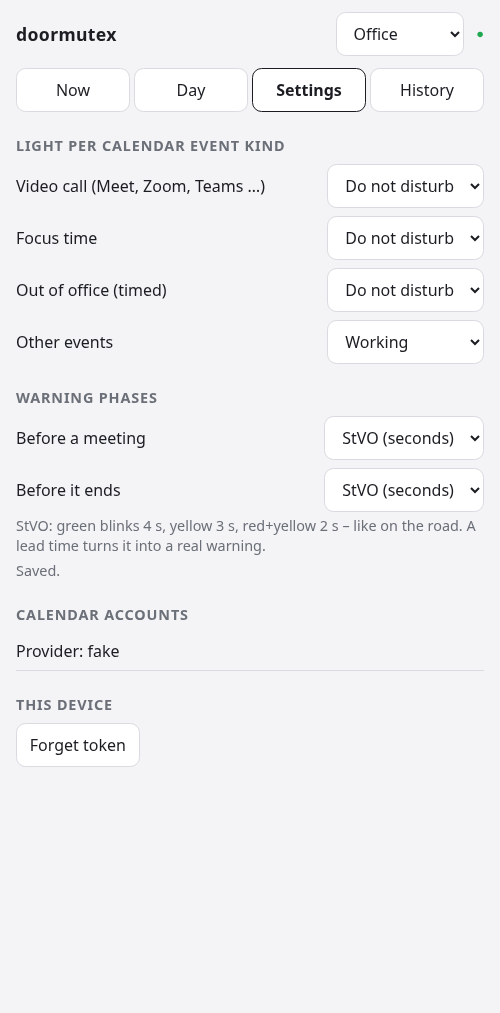
- Google Calendar. Several accounts per person, for example private and work. Video calls (Meet, Zoom, Teams, Webex, Jitsi links) turn the light red, focus time and other events yellow, and “maybe” or unanswered invitations yellow. An all-day out-of-office event is a day off. You choose the light per kind of event in the web app.
- Working hours. A weekly plan with Austrian public holidays and your own days off makes the light yellow.
- Screen lock, shutdown and suspend turn the light off. A meeting where you only listen stays red, even when the screen locks itself.
Control from anywhere
- KDE Plasma 6 widget: state, reason and “until when”; set red, yellow, green or off for a while; pomodoro; a message for the e-ink sign; today’s plan as a coloured bar.
- Web app: built into the hub and installable on a phone’s home screen. English and German, more languages welcome.
- iPhone: the web app plus Apple Shortcuts – Siri, the Action Button, or a Focus mode that switches the light. No App Store app needed.
- Android: the web app with shortcuts on its icon, the open-source app HTTP Shortcuts for home-screen widgets and Quick Settings tiles, and Tasker or MacroDroid to follow the phone’s Do Not Disturb.
- Desktop notifications on every change, with a button to go back to automatic.
- Stream Deck: planned.
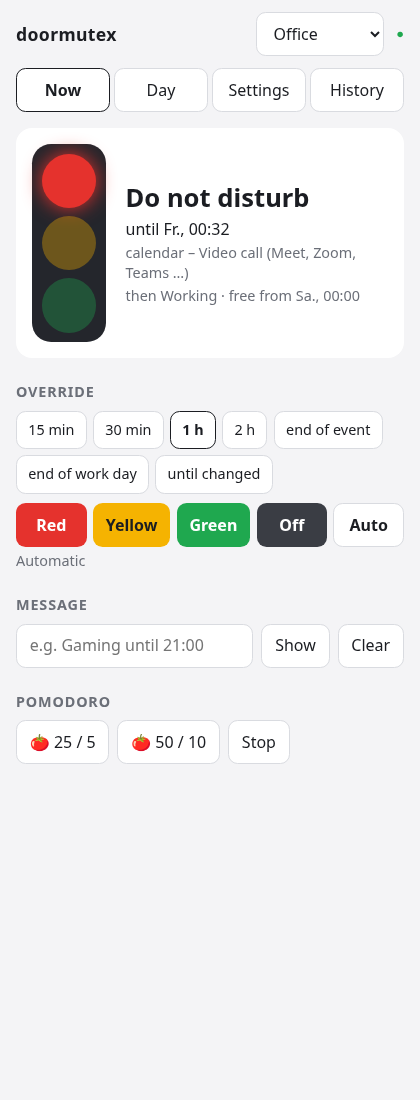
Manual settings end by themselves
Set a colour for 15 minutes up to 2 hours, until the event ends, until the end of the work day, until the next automatic change – or explicitly indefinitely. “Auto” goes back to what doormutex detects. Nobody has to remember to switch the light back.
Pomodoro
25/5 or 50/10: red while you work – or yellow, if you prefer – and green during the breaks.
Several lights, one hub
Each person gets a profile with their own rules, calendars, light and access tokens. Room mode is for everyone without a PC: a teenager’s room, the parents’ bedroom. It is controlled by phone, the web app or Home Assistant – and through Home Assistant by voice with Alexa or Google Home. A phone’s token only controls its own profile: the teenager’s phone can’t switch the office light.
Smart home
- Home Assistant via MQTT discovery: state, events, the current and the next free slot, battery – and per profile an entity to set the light and one for the e-ink message.
- Matter over Wi-Fi: planned, uncertified – for Apple Home, Google Home and Alexa without Home Assistant.
Details are in the README on GitHub.